
How To Set Goals
Overview: Learn how to set up Goals in Roo so you can save intentionally without making your plan feel complicated or restrictive.
How To Set Up A Goal Pouch
What Is A Goal?
A Goal is a pouch for money you are saving on purpose.
Set one when you know what the money is for and want Roo to fund it automatically over time.
Step 1: Add Or Edit A Pouch
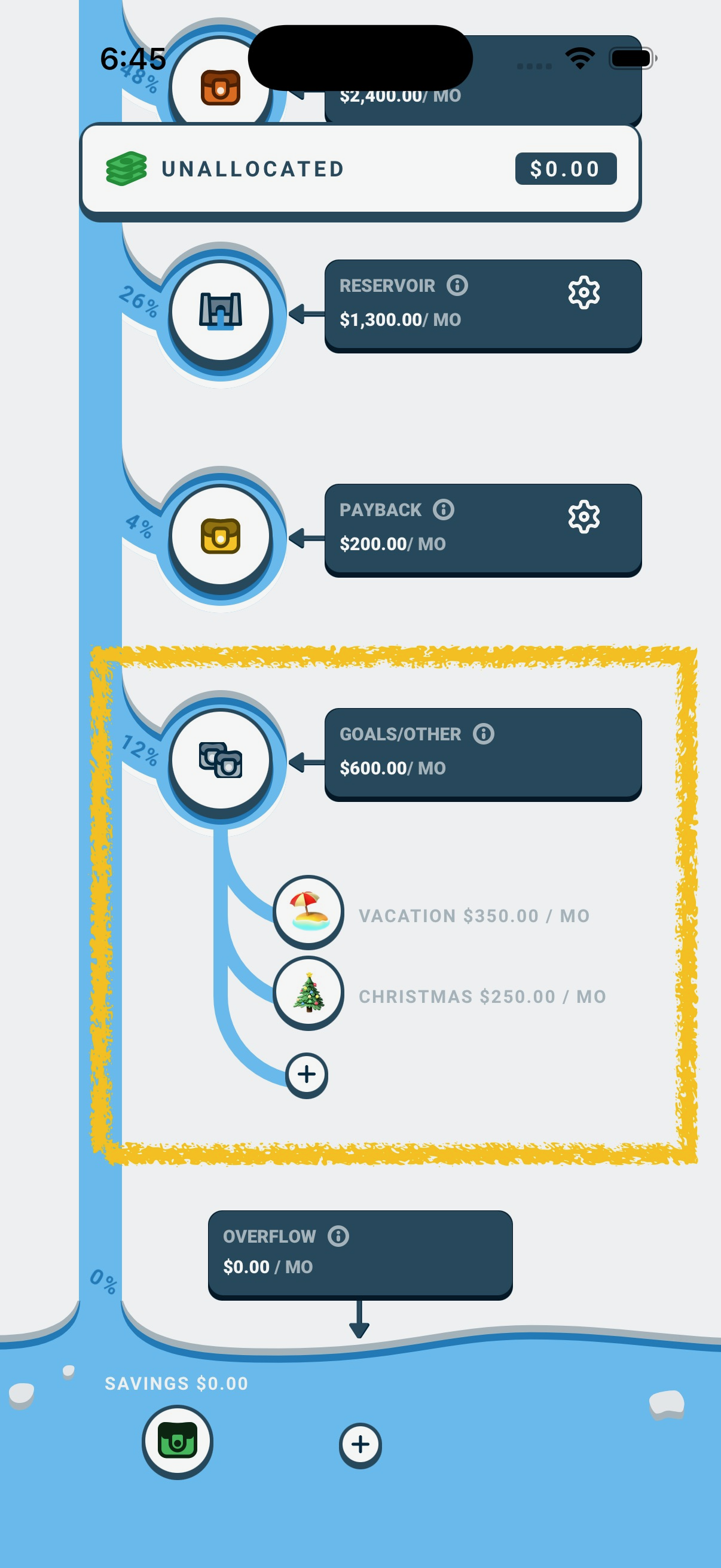
- Go to the Budget tab.
- Select the Income Splitter River button
- Scroll down to and tap on the Goals/Other section of the river.
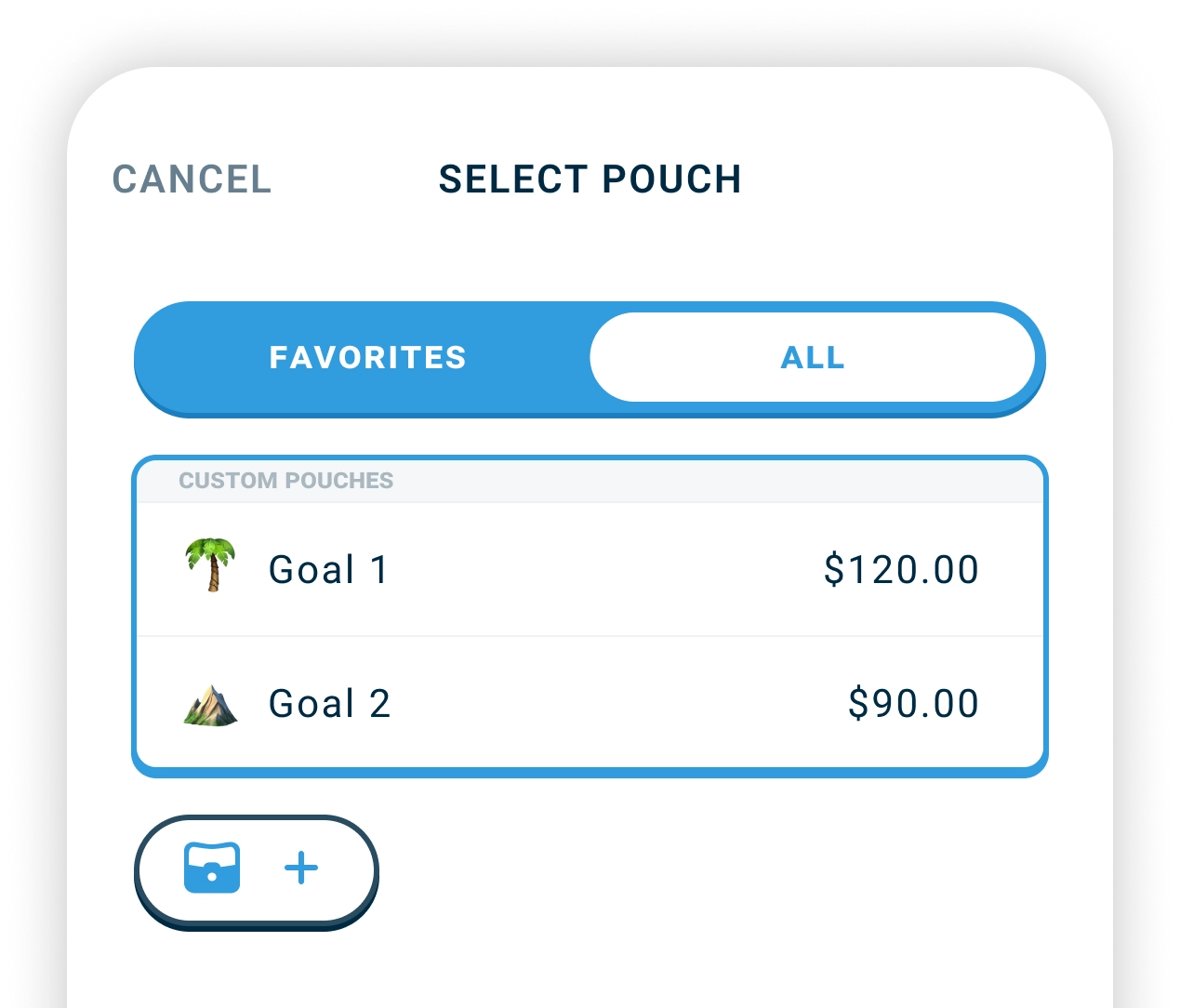
- Tap the + button open the Select Pouch screen.
- Select an existing pouch or add a completely new one with the + button.
Step 2: Set Your Target Amount
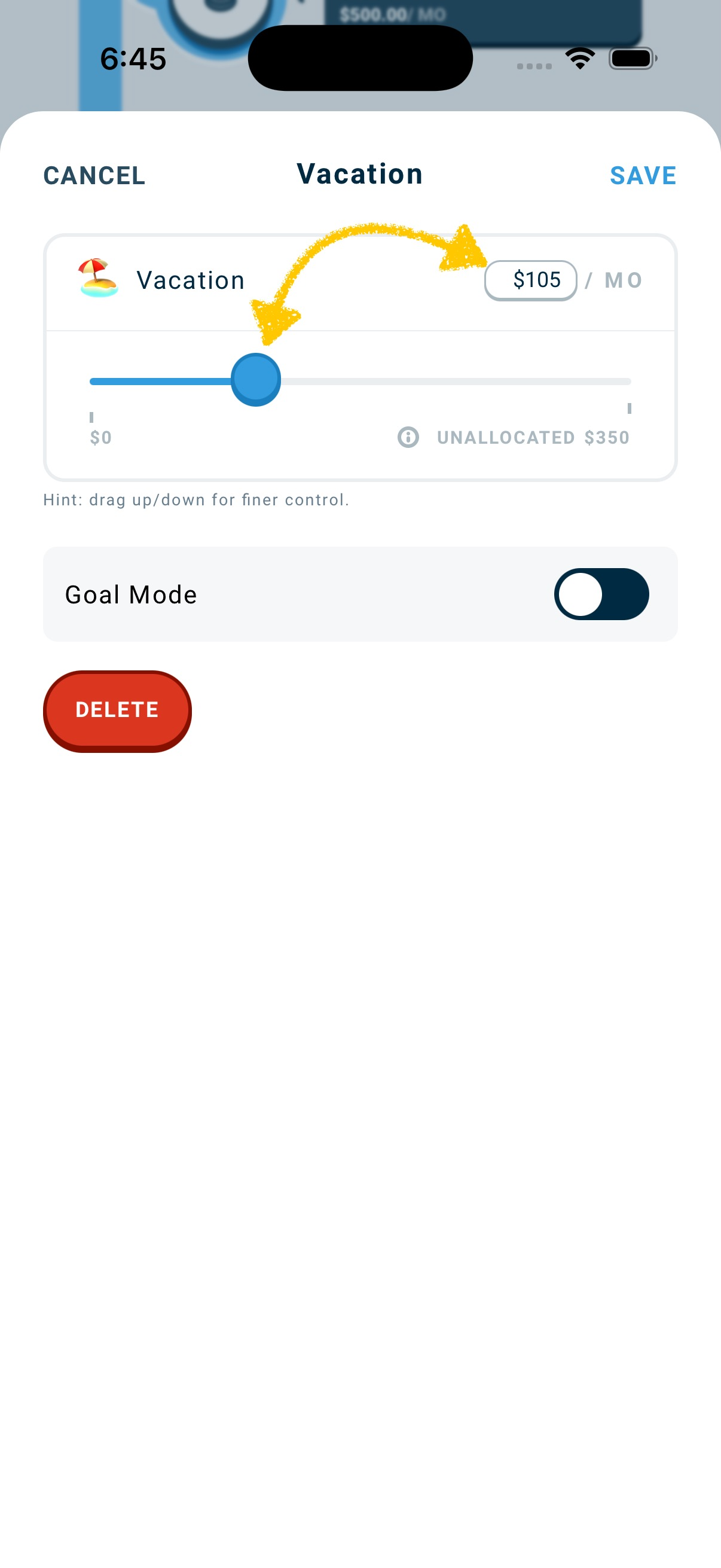
Choose how much you want to save each month.
- Use the slider, or
- Enter a specific number in the amount field.
Step 3: Choose Your Goal Mode
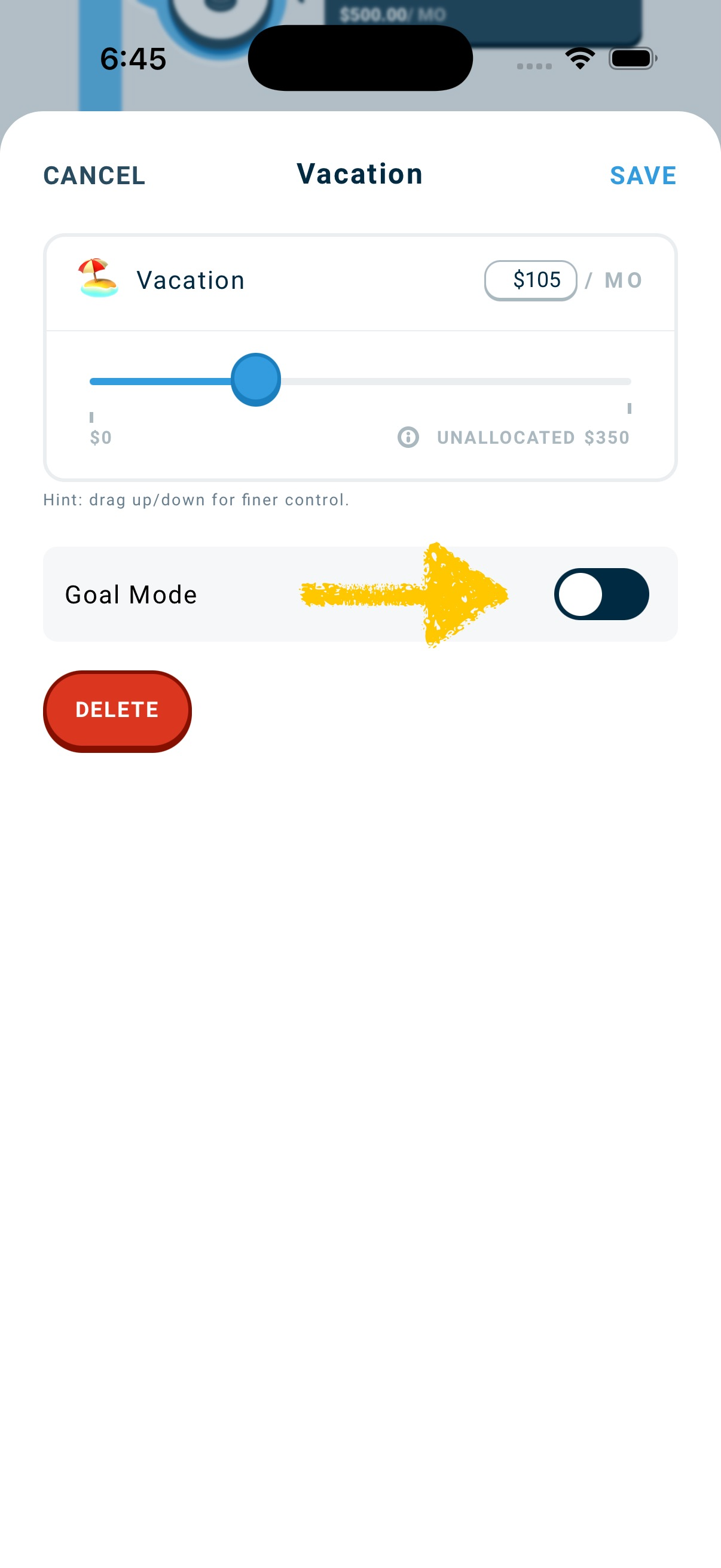
Toggle Goal Mode on and select one of two goal modes:
🔁 Keep Full To Target
- Funds to the target
- Pauses when full
- Stays on the Income Splitter River but stops receiving funds if full
- Automatically resumes receiving funds if the balance drops
Best for: Emergency funds, car maintenance, recurring needs
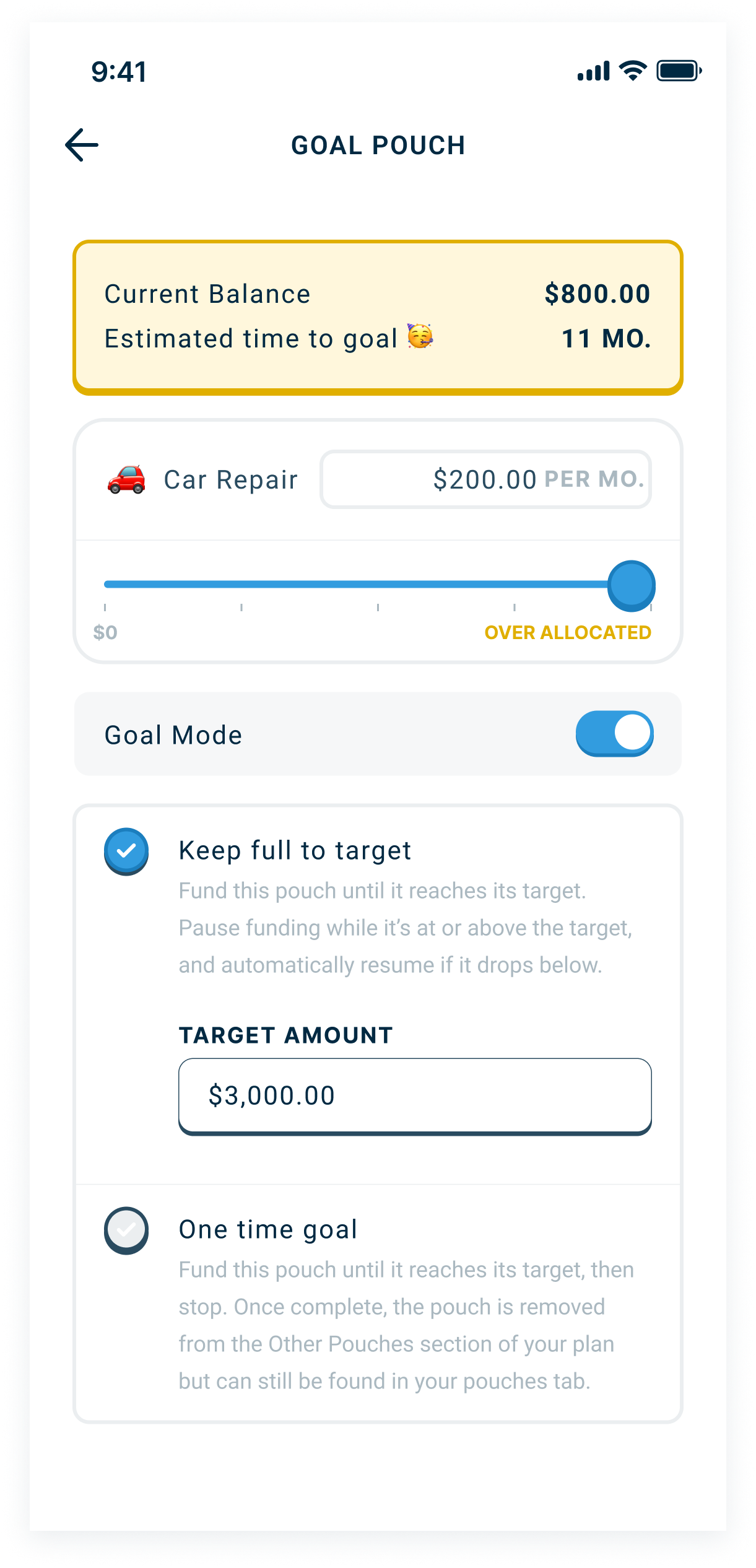
🎯 One-Time Goal
- Funds to the target
- Once it is full, it leaves the Income Splitter River
- The pouch remains on the Pouch Balances screen and simply holds the money
- Does not receive funds again until you put it back on the river
Best for: Vacations, new laptop, one-time purchases
Step 4: Save
Tap Save.
Your new Goal Pouch will now appear under Goals/Other on your Income Splitter River. It will receive funds when income arrives until it reaches its target amount. It’s behavior after that depends on the type of goal it is. See above.
Important: Where Goal Rules Apply
Goal rules only control funding inside the Goals/Other section of your Income Splitter River.
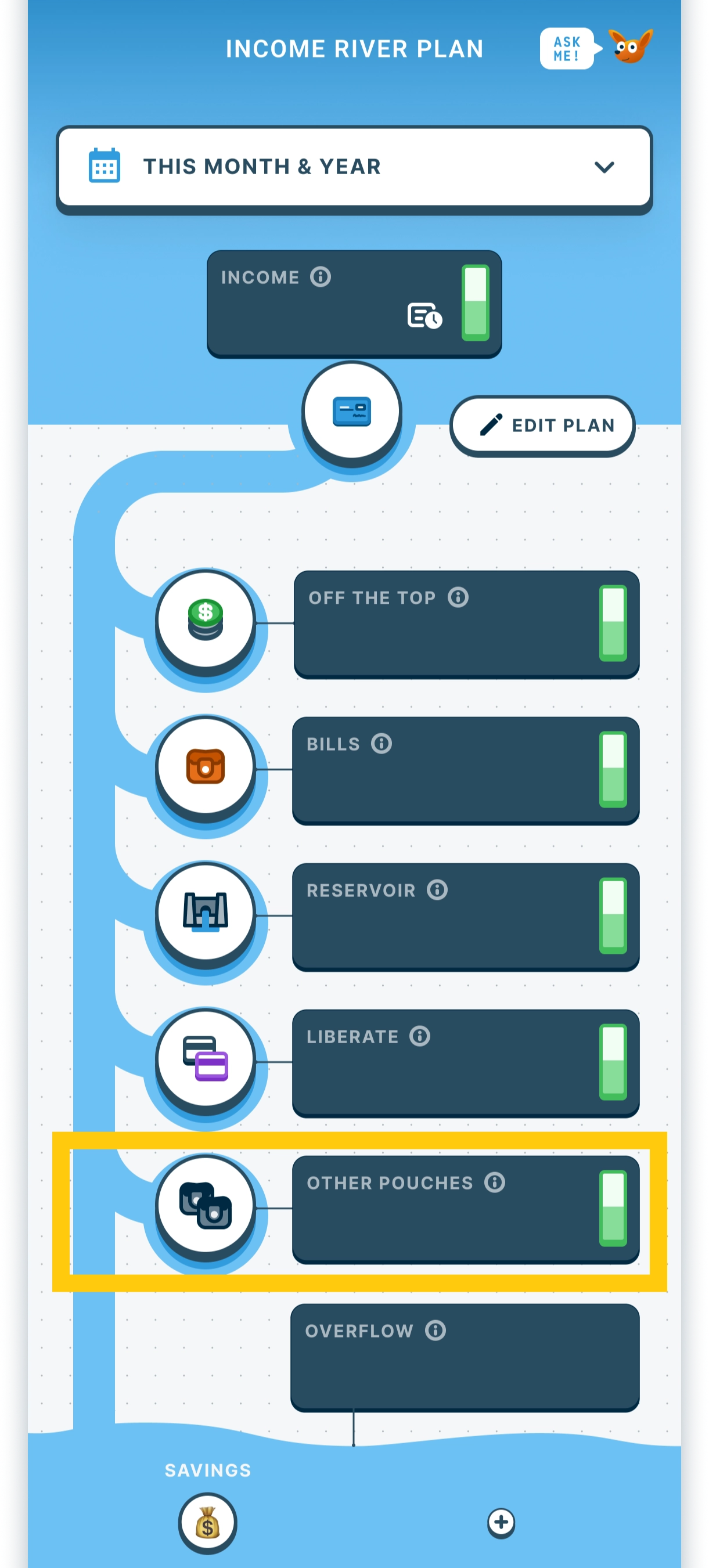
If this pouch is funded from other sections of the Income Splitter River, those allocations will continue, even after the target is reached.
The goal rule only applies in the Goals/Other section where it’s created.
How To Remove A Goal Pouch
There are two different actions here. This is where people get confused.
Removing From The River
- Click on the pouch.
- Deselect Goal Mode if it is on.
- Click Remove From River.
This removes the pouch from your Income Splitter River plan, The pouch still exists and can be found in the Pouch Balances screen in the Budget tab.
Deleting The Pouch Completely
- Go to the Pouches screen.
- Delete the pouch there.
This removes the pouch entirely.
Common Confusion
Deleting something from the River does not delete the pouch itself.
- The River controls planning. Deleting from the River removes it from your plan.
- The Pouches screen controls existence. Deleting from the Pouches screen removes it completely.
Nothing breaks. You’re just choosing where it lives.