
How To Fund Your Income Splitter River Plan From A Pouch
What Fund Plan From Pouch Does
Fund Plan From Pouch moves money out of a pouch and treats it like income.
That money:
- Flows through your Income Splitter River
- Fills the following sections according to your plan: Bills, Reservoir, Payback, and Goals/Other
- Skips Percent of Income
It behaves as if new income entered your system.
When You Should Use It
This feature is helpful when:
- You need to supplement your income
- You are pulling from savings
- You had a lower-income month
- You want to temporarily boost funding
This is especially handy if your income changes from month to month. On a lean month, you can pull from savings to keep your pouches funded like a normal payday.
It allows your plan to stay intact without manually reallocating money section by section.
When You Should Not Use It
Normally, you should fund your Income Splitter River plan using real income transactions.
Fund Plan From Pouch is not meant for:
- Regular income
- Everyday transfers
- Moving money casually between pouches
Overusing it can distort how your plan is intended to function.
How To Use Fund Plan From Pouch
-
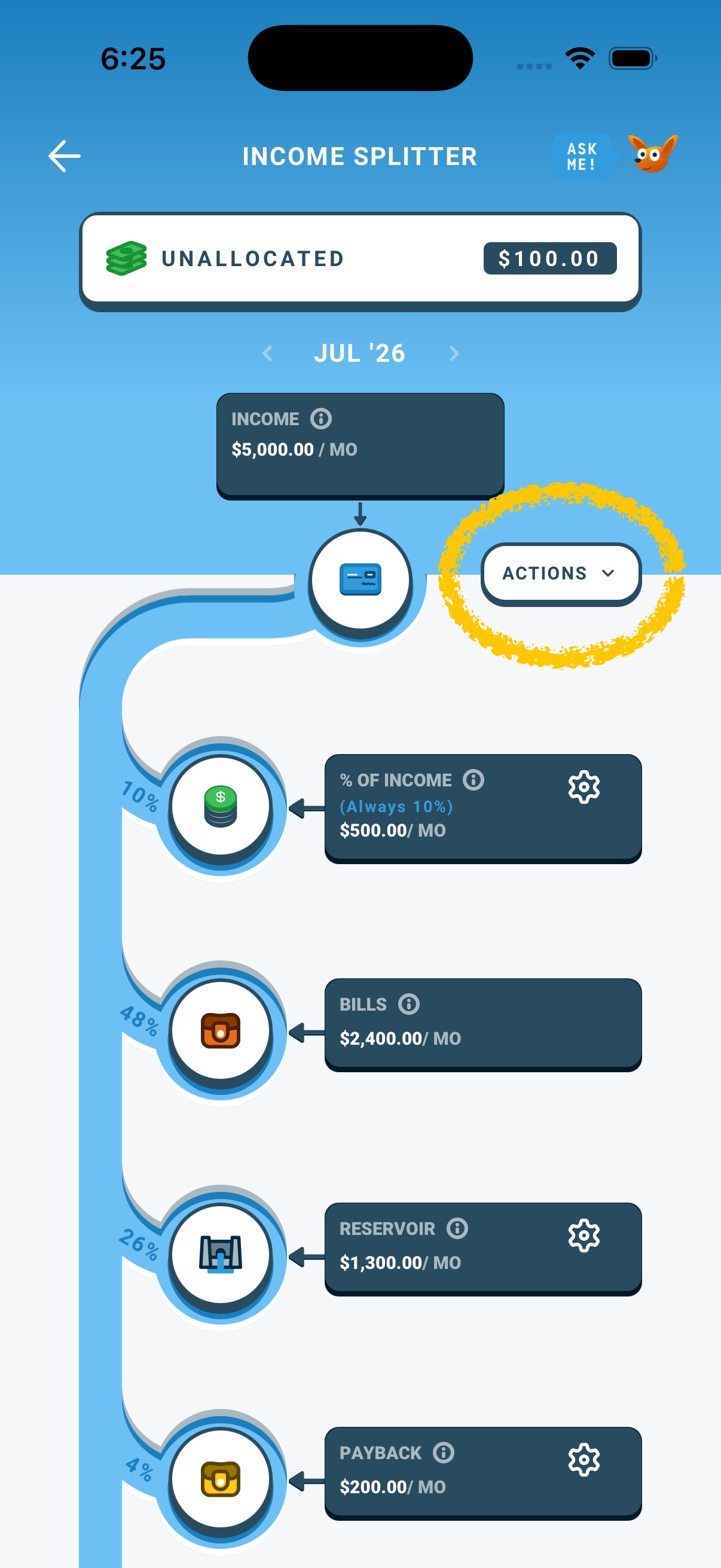
Go to the Income Splitter River from the Budget tab.
-
Click Actions
-
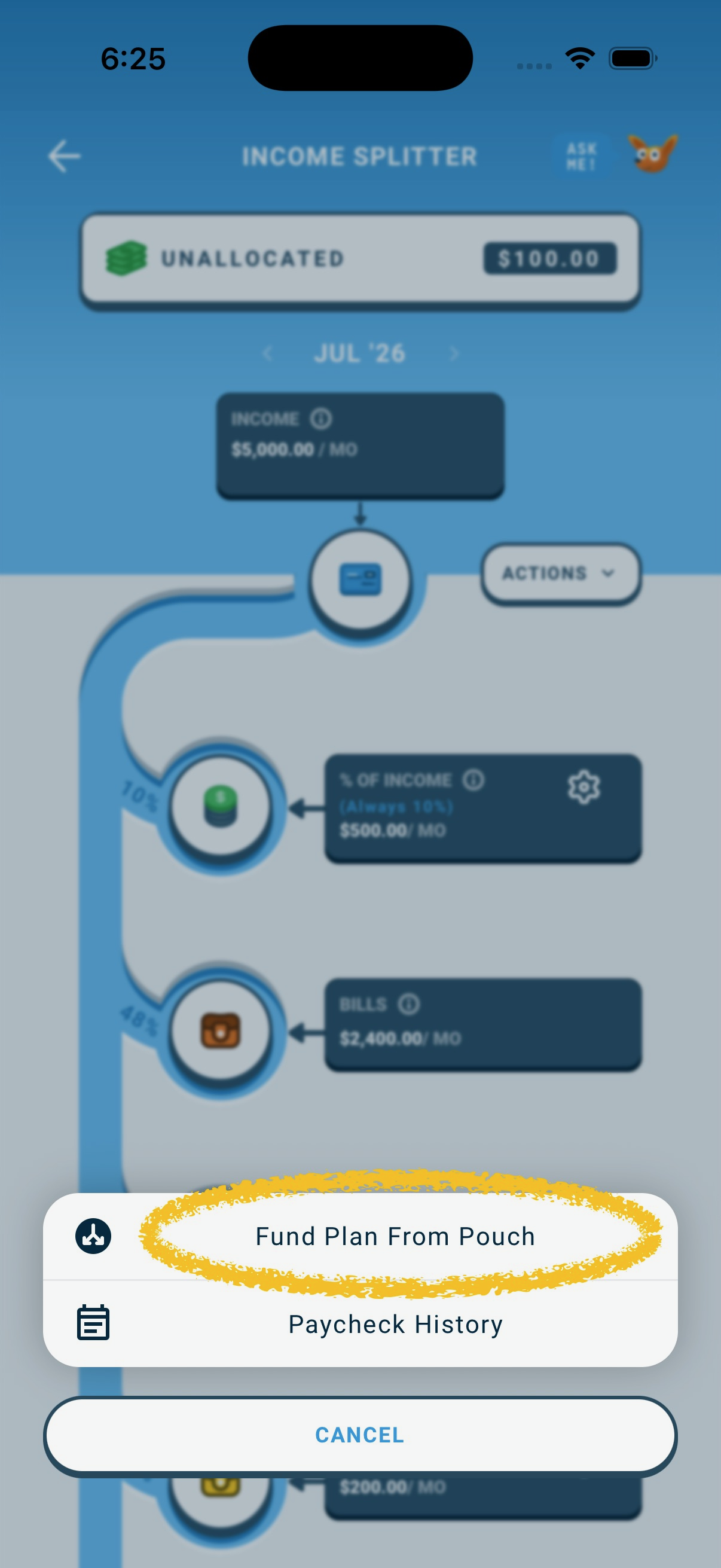
Select Fund Plan From Pouch
-
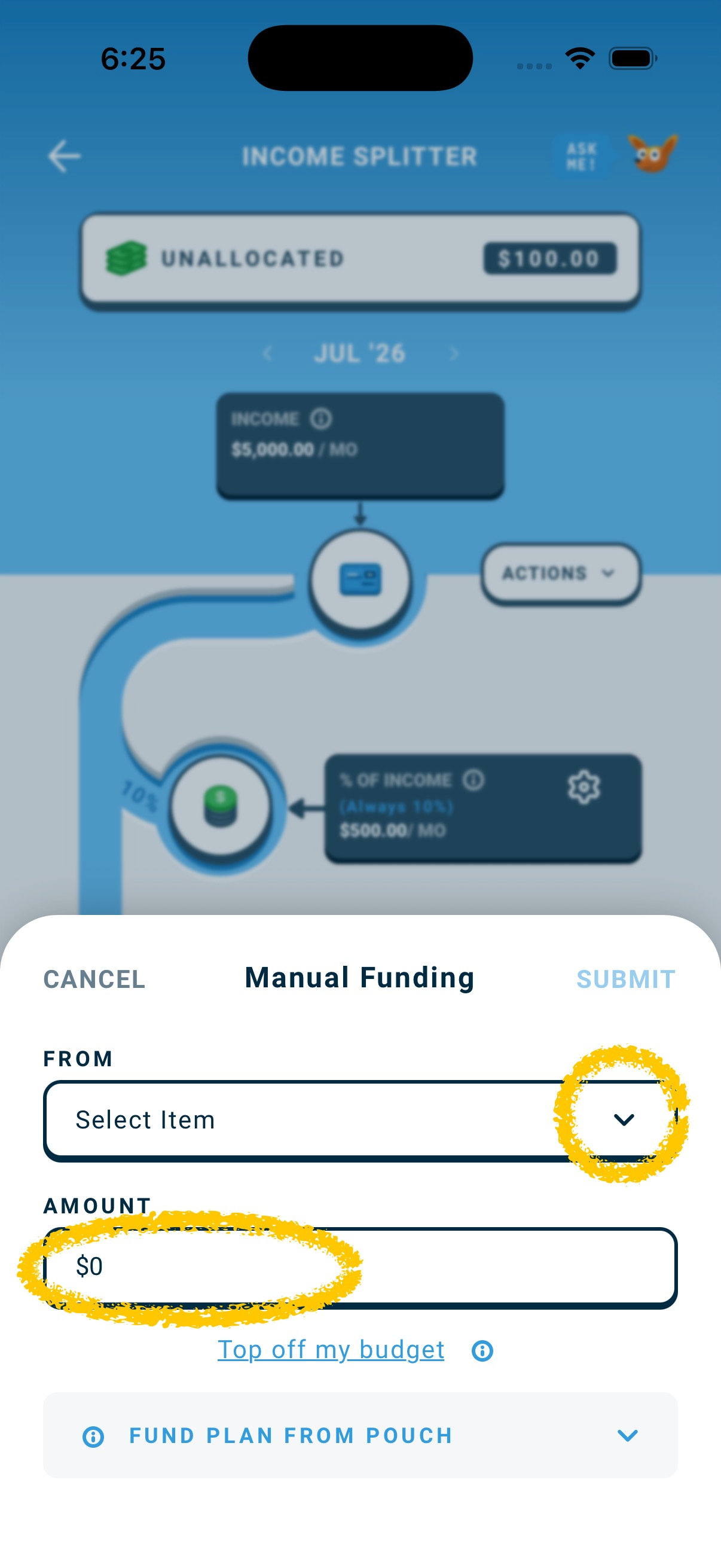
Under From, select the pouch you want to pull from
-
Enter the amount
-
Tap Submit
The selected amount will flow through your river and fund sections according to your plan.
What To Expect After Submitting
Once submitted:
- The source pouch balance decreases
- Your Income Splitter River sections receive funding
- Daily Cash adjusts accordingly
Your plan remains structured and consistent.
A Simple Way To Think About It
Income normally flows into your Income Splitter River. This feature lets savings flow through it the same way.
Use it when needed. Not by default.