
Can I swipe a transaction to more than one pouch?
Yes. Sometimes one purchase pays for more than one thing. You can divide that transaction across more than one pouch. Roo calls this a Manual Divide.
For example, if a grocery trip has food and a birthday gift, you can send the food to your Living pouch and the gift to another pouch.
Most of the time you will not need to do this. If you find yourself splitting transactions a lot, it usually means your pouches are too detailed. It is better to group your spending so most transactions drop into one pouch.
How to do a Manual Divide
-
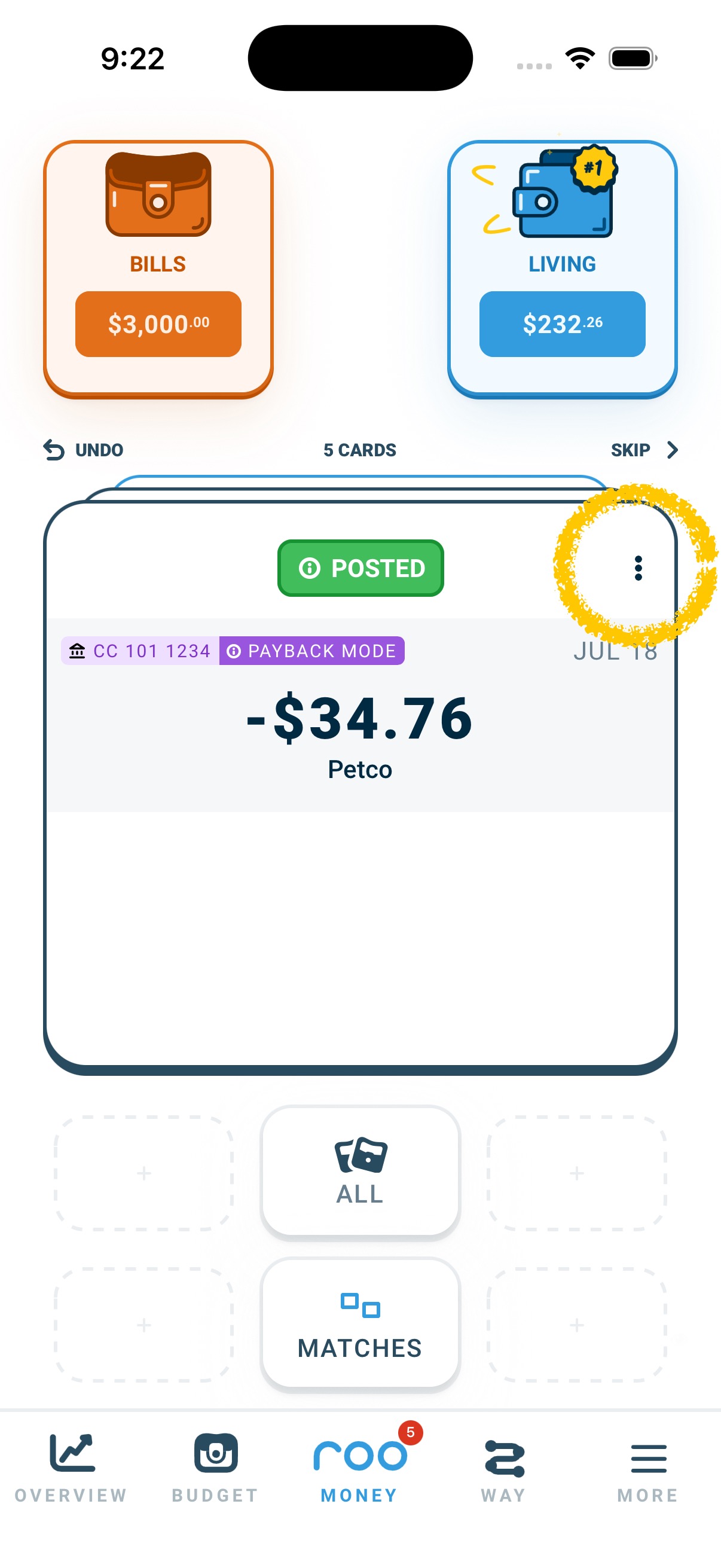
Click the three dots in the upper right corner of the transaction card.
-
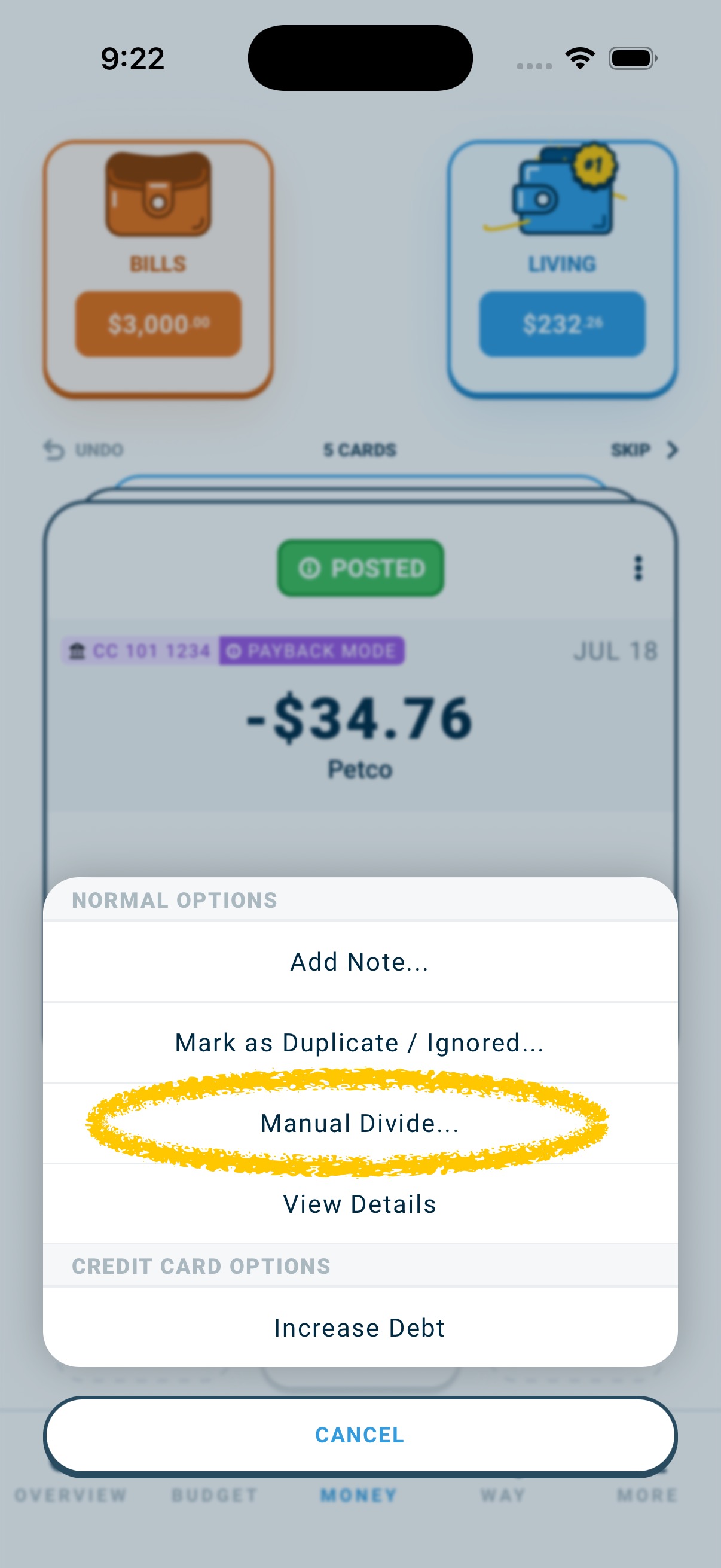
Select Manual Divide.
-
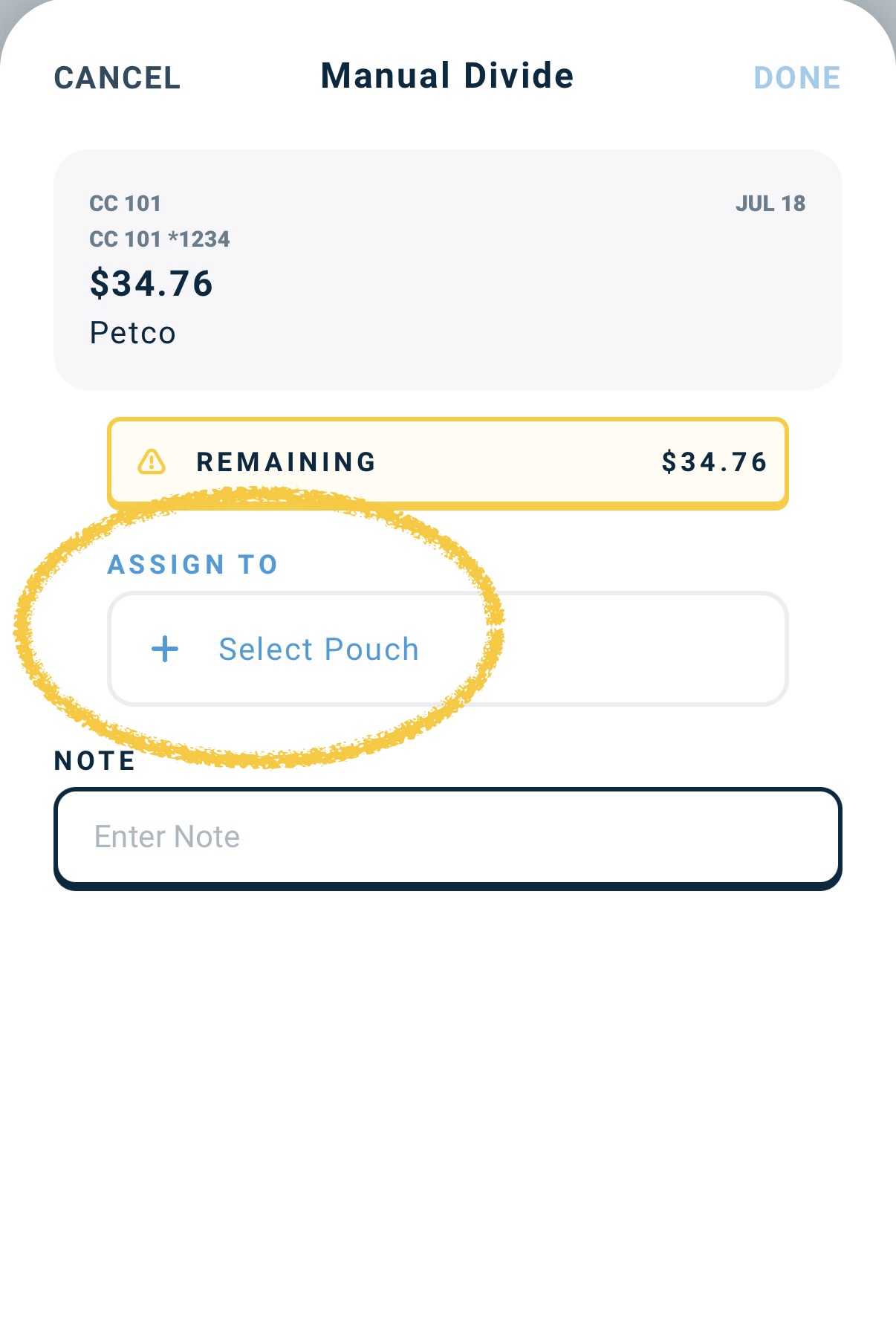
Add the pouches the transaction should affect, and how much goes to each. The total amount applied to the pouches must equal the total amount of the transaction.
-
Click Done. The card disappears, and each amount is removed from its pouch if the transaction is negative, or added if it is positive.
See also: Manual Divide